


What is an AI knowledge base generator?
An AI knowledge base generator is a specialized software engine that automatically creates, formats, and publishes knowledge articles by analyzing unstructured data, primarily support tickets, resolution notes, and chat logs that it is authorized to view. While a standard knowledge base builder simply provides the framework to organize files, an AI knowledge base generator actively writes the content for you.
Unlike traditional “manual” generators that simply record screen clicks, a generative AI solution analyzes the context of a problem. It processes diverse inputs, such as PDFs, Word files, Slack or Teams messages, and historical ticket data, to extract the root cause and resolution. It then synthesizes a human-readable article and categorizes it for immediate use. This transforms a reactive support archive into a proactive intelligence engine.
Why a generative AI knowledge base matters
Support teams sit on a goldmine of data: thousands of solved tickets. However, converting these tickets into usable knowledge manually is slow and inconsistent. An AI knowledge base generator bridges this gap by transforming raw ticket data into structured articles instantly.
This automation helps teams save time and create content at scale, building a comprehensive repository that serves the entire business. With it, businesses can:
- Stop reinventing the wheel: Agents stop researching the same issue twice, which reduces wait times and boosts support team productivity.
- Eliminate the backlog: With AI knowledge management, the team no longer faces a mountain of unwritten documentation with streamlined knowledge article generation.
- Fuel self-service: Virtual agents and AI assistants get the structured content they need to resolve customer issues without human intervention.
- Ensure consistency: The generator standardizes formatting and tone across all documentation, maintaining reliability for users and customers.
How generative AI turns tickets into articles (the architecture)
To trust the output given by the knowledge base generator, you must first understand the engine it’s built on. Aisera uses a sophisticated multi-stage pipeline to ensure accuracy, safety, and governance.
1. Data ingestion & preprocessing
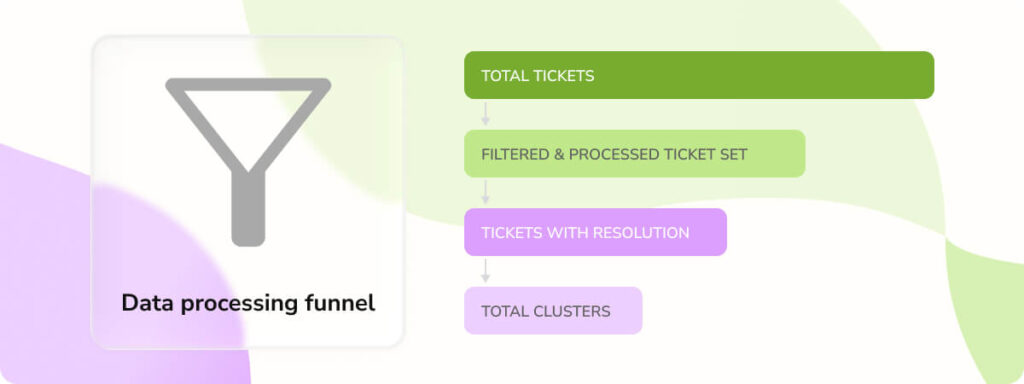
The system connects to your System of Record (ServiceNow, Salesforce, Jira) and enterprise systems and ingests raw ticket data. The preprocessing engine filters out noise, rejecting tickets with short comments, missing resolutions, or invalid timestamps to ensure that only high-quality, information-rich data enters the funnel.
2. Semantic clustering & resolution classification
The AI doesn’t look at tickets in isolation. The clustering engine groups semantically similar issues (e.g., 50 different tickets about “VPN timeouts”) to find the most common resolution pattern. Simultaneously, the resolution classification module tags tickets based on quality:
- Very good: The resolution is valid and is confirmed by the user.
- Good: There is a resolution provided but no feedback from the user.
- Bad: There is no clear resolution found or the ticket contains irrelevant data.
3. The generative engine (LLM)
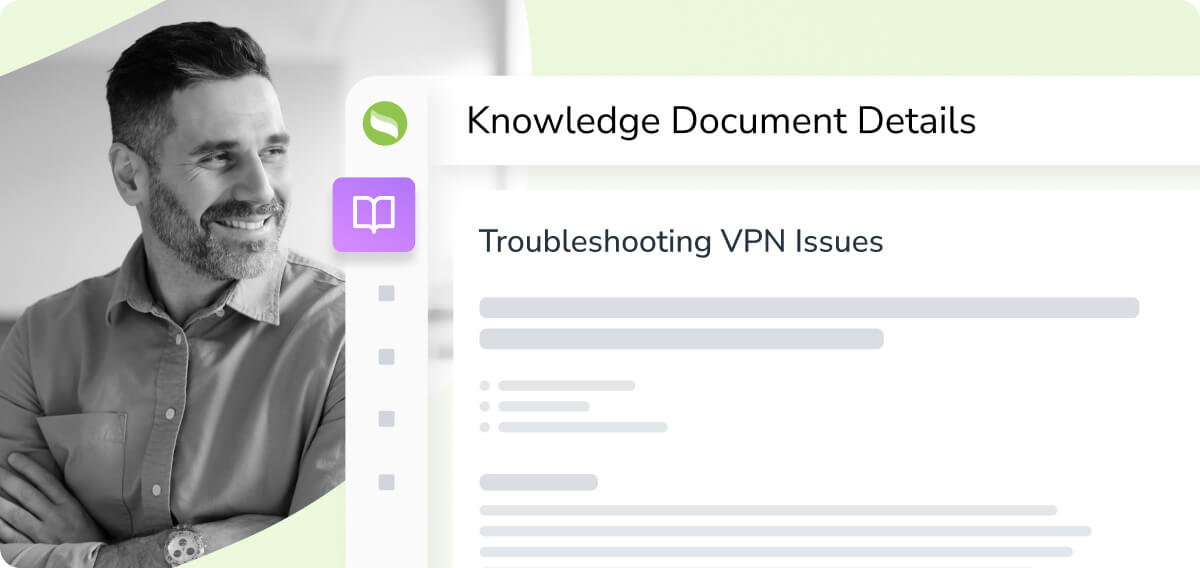
Using the representative ticket (the clearest example from the cluster), it drafts a structured KCS-compliant article, parsing messy agent notes into clean sections: issue description, environment, root cause, and resolution.
4. Automated similarity checks & deduplication
Before creating a new file, the similarity check module scans your existing knowledge repository. It flags potential duplicates, ensuring you don’t clutter your database with multiple versions of the same article.
The ROI: Measuring the value of an AI knowledge base
Implementing an automated generator isn’t just about reducing manual effort, but also about time. By automating content creation, your team focuses on high-value strategic initiatives rather than repetitive documentation.
1. Accelerated knowledge document creation
Manual knowledge article creation is resource-intensive, and Aisera drastically cuts the time, effort, and cost involved in building a robust knowledge base
Scenario: Creating 100 knowledge articles
| Role | Metric | Without Aisera | With Aisera | % Effort Saved | % Cost Saved |
| Knowledge Author | Time/KB article ($60/hr) | 2.5 hrs / KB article | 0 hrs | 100% | 100% |
| Knowledge Admin | Time/KB article ($25/hr) | 15 mins / KB article | 5 mins | 67% | 67% |
| Knowledge Reviewer | Time/KB article ($40/hr) | 5 hrs / KB article | 2 hrs | 60% | 60% |
| Total (for 100 KB articles) | Overall Time | 775 hrs | 208.3 hrs | 73% | 77% |
2. Optimizing IT agent efficiency on recurring issues
When agents have immediate access to high-quality knowledge, the time spent triaging and resolving common issues is drastically reduced, freeing them to handle complex cases.
| Activity | Without Aisera | With Aisera | % Effort Saved |
| Incident triage & routing | 30 mins / issue | 10 mins / issue | 67% |
| Issue resolution | 1.5 hrs / issue | 0.5 hrs / issue | 67% |
| Doc creation | 2.5 hrs | 0 hrs | 100% |
| Total (100 Issues) | 202.5 hrs | 66.7 hrs | 67% |
3. Deflecting tickets with self-service
The highest ROI with AI comes from deflecting tickets before they reach a human. Populating your knowledge base with a wide range of knowledge articles allows AI assistants to handle Tier 1 issues via self-service portals.
Scenario: Answering 100 recurring issues (users/AI assistants)
| Role | Without Aisera (manual) | With Aisera (self-service) | Cost Saved |
| End Users ($30/hr) | 16.7 hrs ($501) | 2.5 hrs ($75) | $426 (85%) |
| IT Agents ($50/hr) | 200 hrs ($10,000) | 30 hrs ($1,500) | $8,500 (85%) |
| Total | 216.7 hrs ($10,501) | 32.7 hrs ($1,575) | $8,926 (≈ 85%) |
Beyond batch processing: On-demand knowledge generation
While batch processing cleans up historical data, on-demand generation captures insights in real-time. This ensures that knowledge is accessible to those who need it, exactly when they need it.
Capturing agent knowledge in real-time
Often, an agent solves a complex, novel issue and moves immediately to the next ticket – meaning that insight is usually lost. With on-demand generation, an agent can click a single button inside Salesforce or Zendesk immediately after closing a ticket. Aisera can instantly draft a formatted article from their investigation notes, turning every agent into a Knowledge Author without disrupting their workflow and preserving expertise for future support agents to leverage.
Flexible publishing workflows
You maintain full control over where this data goes. Aisera supports three distinct flows:
- Auto-publish: Immediate availability for the AI assistant.
- Publish to SOR: Pushes the article back to ServiceNow/Salesforce for human review.
- Manual review: Holds the article in a staging area for Knowledge Managers.
Robust access controls can be applied to manage who can view or edit the published articles, ensuring only authorized users have appropriate permissions. Users can also collaborate with their teams to review and publish knowledge base content.
How to choose the right knowledge generator: A 6-Point checklist
Not all “generators” are created equal. When choosing a solution, prioritize an AI-powered tool that streamlines management rather than just recording inputs. Look for a system that integrates seamlessly with your internal tools and allows you to customize the interface to match your brand identity.
1. Autonomous generation vs. manual recording
Tools like Scribe are excellent for recording a workflow (e.g., “Click here, then here”). However, they cannot read unstructured text or understand context. If your source data is messy support tickets, you need a robust generative AI solution like Aisera, not a screen recorder.
2. Domain-specific vs. general-purpose LLMs
A generic GPT model does not have the same level of expertise or specificity as a purpose-built domain-specific LLM. Ensure your vendor uses domain-specific models, like those trained on IT Service Management (ITSM), HR data, or Customer Service data, to ensure accuracy.
3. Native Integration & Pre-Built Connectors
The generator must be able to work within your systems, so be sure to look out for native, API-level connectors for ServiceNow, Jira, Salesforce, Zendesk, and SharePoint.
4. Enterprise-Grade Security & Trust Framework
Your tickets contain PII (Personally Identifiable Information), so the generator must have built-in PII redaction and comply with SOC2, HIPAA, and GDPR standards. Never feed enterprise data into a public, unsecured model.
Implementation: 5 Steps to launch your generator
- Audit knowledge sources: Identify which ticket categories (e.g., Password Reset, VPN) have high volume but low documentation.
- Connect data sources: Map your ticket fields (Resolution Notes, Comments) to the AI inputs using pre-built templates and built-in integrations to systems of record.
- Train & configure workflows: Set clear quality thresholds. For example, “Only generate articles from tickets marked ‘Resolved’ with 5-star CSAT.”
- Run a pilot: Generate 50–100 articles and have your Subject Matter Experts (SMEs) review them for accuracy and tone.
- Launch & monitor: Enable auto-publishing for low-risk topics and monitor ticket deflection rates to prove ROI.
Conclusion: Turn every ticket into knowledge
Aisera’s knowledge generation is not merely a documentation tool; it is a strategic asset that redefines support ROI. By automating the creation, classification, and deployment of knowledge, organizations can unlock tens of thousands of dollars in annual savings.
Don’t let your team’s hard work vanish into the ether. With Aisera, document every resolution to enhance future support team interactions.